Deliver
Once you have submitted SOW to the client for review, you will wait for approval. Once the SOW ahs been approved, the design and development team will initiate the execute process. This will focus on the specifications the client has provided. The UX team creats the wireframes, the UI team work on the initial comps, then the develop team builds the site, etc.
Wireframe
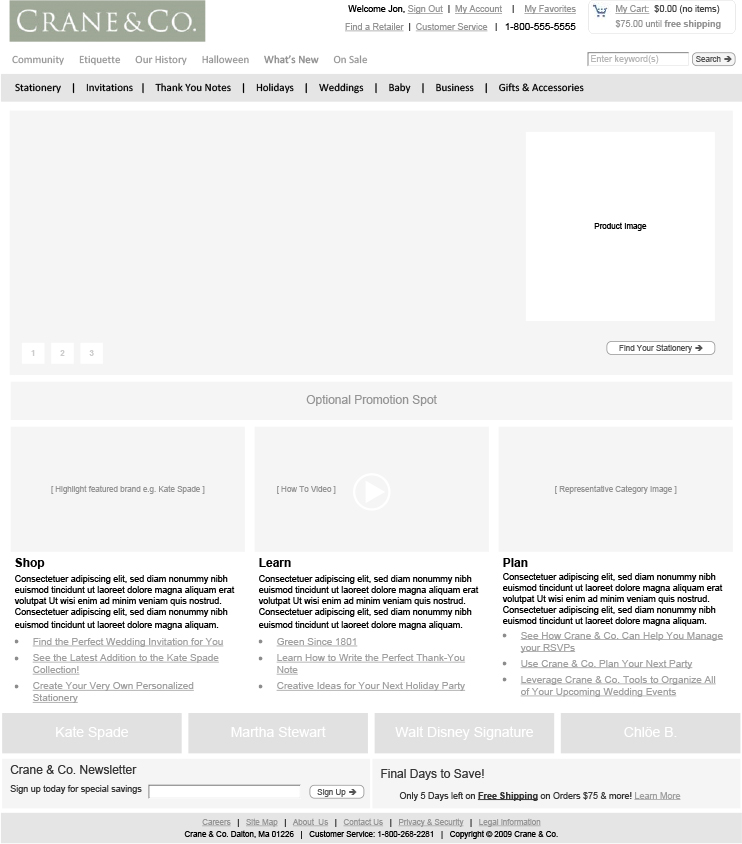
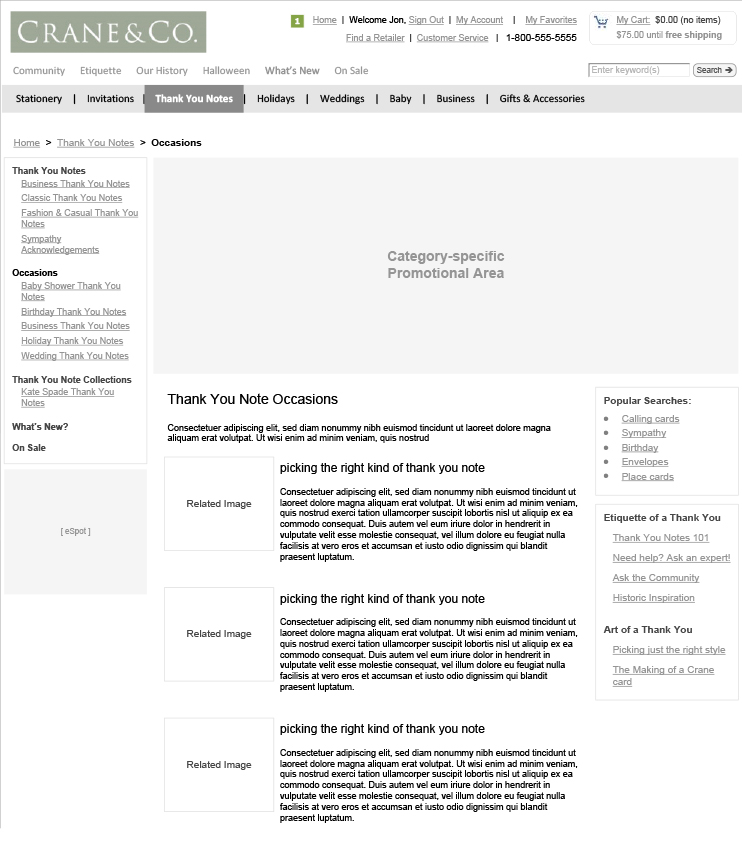
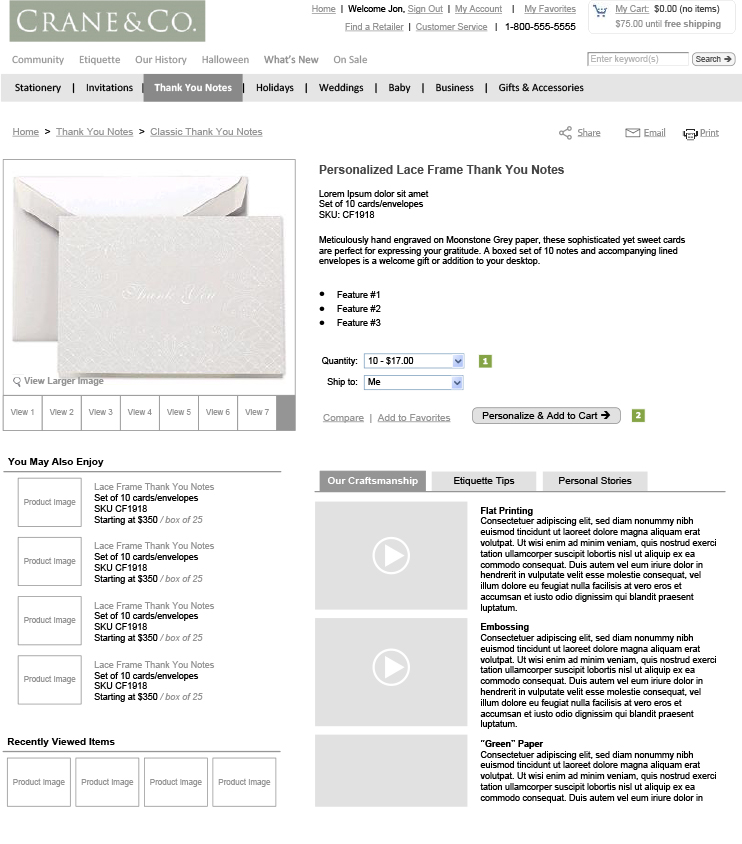
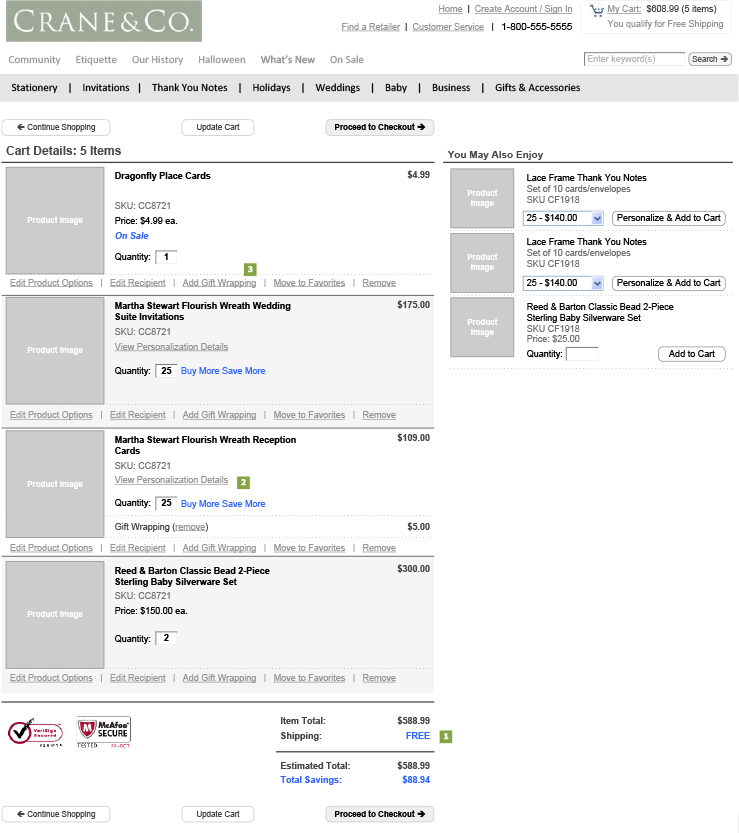
A “wire frame” is a non-graphical layout of the proposed web page. The website wireframe connects the underlying conceptual structure, or information architecture, to the surface, or visual design of the website. Wireframes help establish functionality, and the relationships between different screen templates of a website. An iterative process, creating wireframes is an effective way to make rapid prototypes of pages, while measuring the practicality of a design concept. Wireframing typically begins between “high-level structural work—like flowcharts or site maps—and screen designs.” Within the process of building a website, wireframing is where thinking becomes tangible. The UX team is reponsive for the WF.
Crane.com wireframe samples:
Visual Concept
After the wireframes is presented and approved by the client, the UI team start working on the visual concepts. Normally the homepage would be a good starting point to determine the overall look and feel of the whole site, as well as other interface elements. Normally 2-3 concepts would be created for the client to review and give feedback.
Crane.com initial visual concepts:
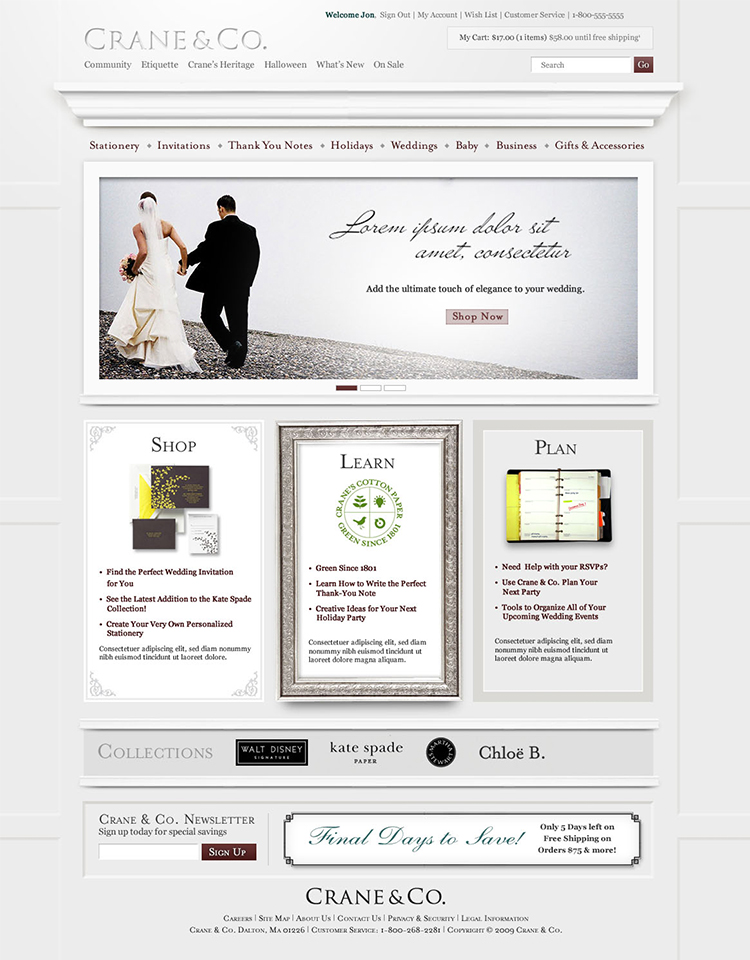


The client reviewed the initial concepts and pick concept 3 as the final direction. Based on their feedback, the UI designer came up with the final concpet.
Crane.com final concept:



Development
The developmental stage is the point where the web site itself is created. At this time, the developers will take all of the individual graphic elements from the photoshop files provided from the UI designer and use them to create the actual, functional site.
This is typically done by first developing the home page, followed by a “shell” for the interior pages. The shell serves as a template for the content pages of the site, as it contains the main navigational structure for the web site. Once the shell has been created, remaining will be distributed throughout the site, in the appropriate areas. Elements such as the CMS (content management system) like WordPress, interactive contact forms, or e-commerce shopping carts are implemented and made functional during this phase, as well.
This entire time, the developer should continue to make the in-progress web site available to UI designers for viewing, so the UI designer could suggest any additional changes or corrections to ensure the site reflects the original visual concept.
On the technical front, a successful web site requires an understanding of front-end web development. This involves writing valid HTML / CSS code that complies to current web standards, maximizing functionality, as well as accessibility for as large an audience as possible.
Testing and Deploy
 At this point, UI designer will attend to the final details and test the web site. They will test things such as the complete functionality of forms or other scripts, as well last testing for last minute compatibility issues (viewing differences between different web browsers), ensuring that your web site is optimized to be viewed properly in the most recent browser versions.
Once the client gives the final approval, it is time to deploy the site. An FTP (File Transfer Protocol) program is used to upload the web site files to the client’s server. Some company offer domain name registration and web hosting services as well, or have recommendations as to where the client can host their site. Once these accounts have been setup, and the web site uploaded to the server, the site should be put through one last run-through. This is just precautionary, to confirm that all files have been uploaded correctly, and that the site continues to be fully functional.
Other final details include plugin installation (for WordPress or other CMS driven web sites and SEO (Search Engine Optimization). SEO is the optimization of the web site with elements such as title, description and keyword tags which help the web site achieve higher rankings in the search engines. The previously mentioned code validation is something that plays a vital role in SEO, as well. There are many WordPress plugins available that further enhance the default WordPress functionality – many of which directly relate to improving your SEO, as well. There are a lot of details involved in optimizing the web site for the search engines – enough to warrant its own post. This is a very important step, because even though you now have a web site, you need to make sure that people can find it! A lot of company has a separate SEO team to work on this.
HTML Style Guide
Some time after we launch a site, new designers and developers come in and make adjustments. They add styles that don’t fit with the content, use typefaces that make us cringe, or chuck in bloated code. But if we didn’t leave behind any documentation, we can’t really blame them for messing up our hard work.
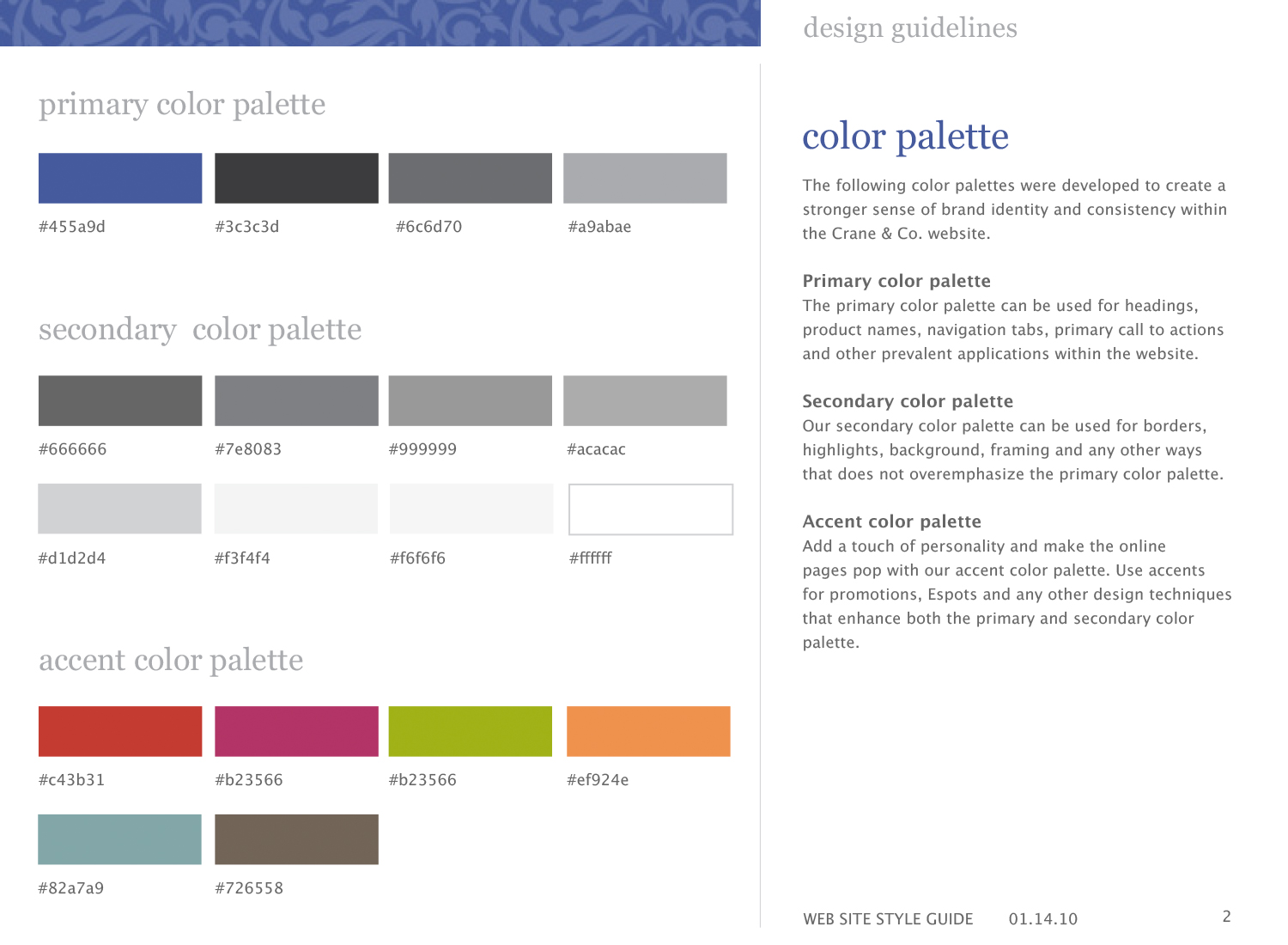
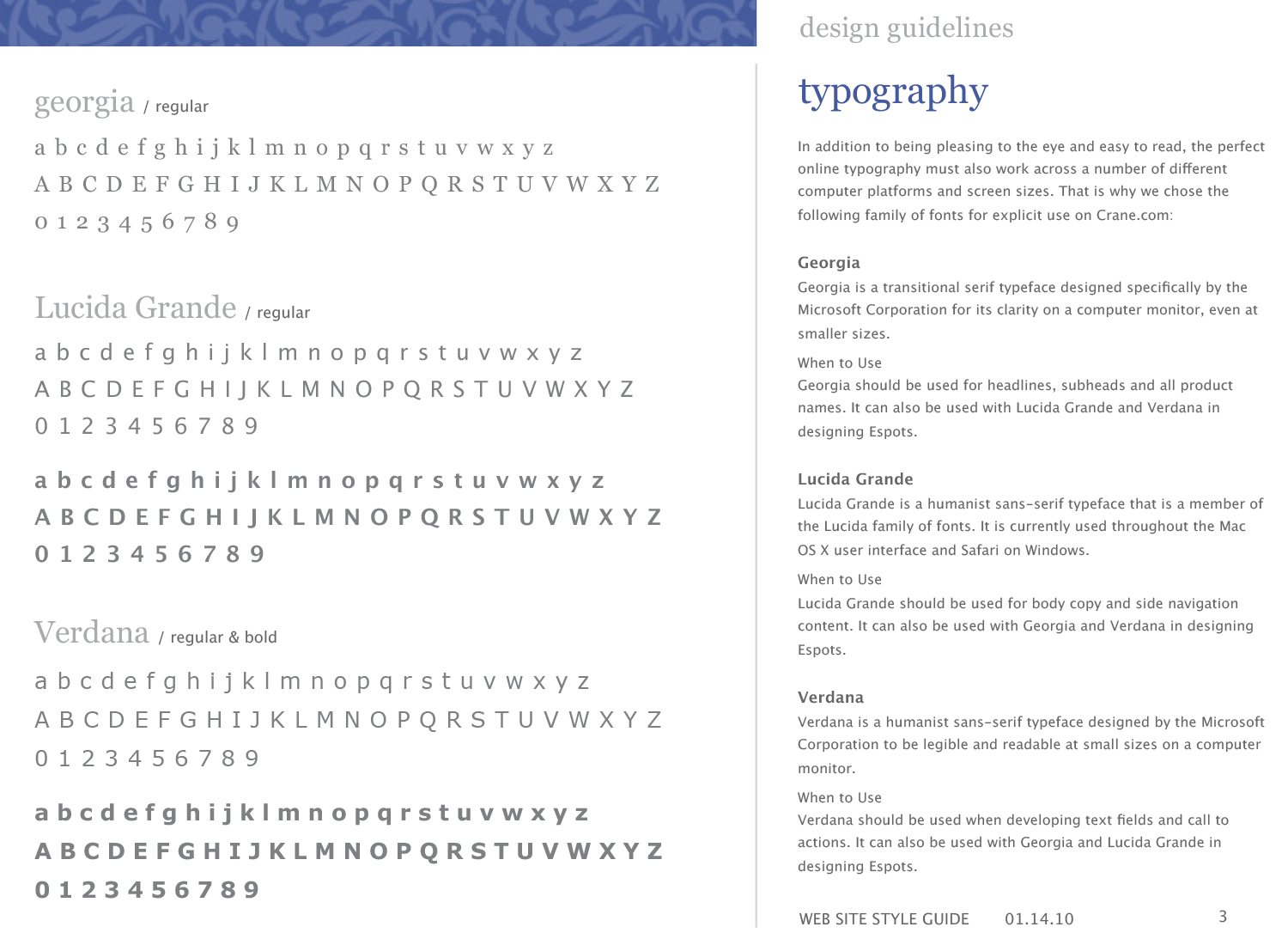
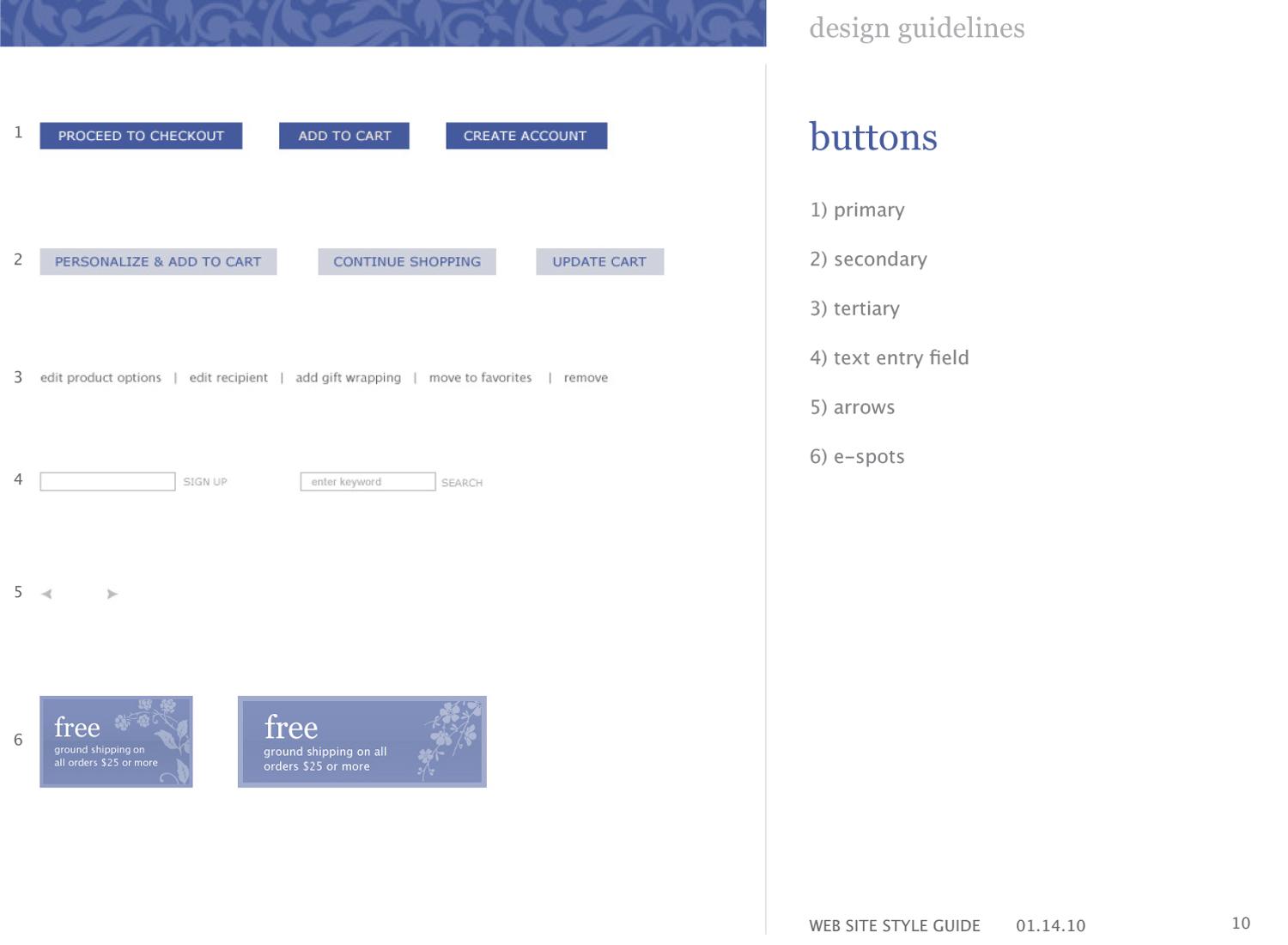
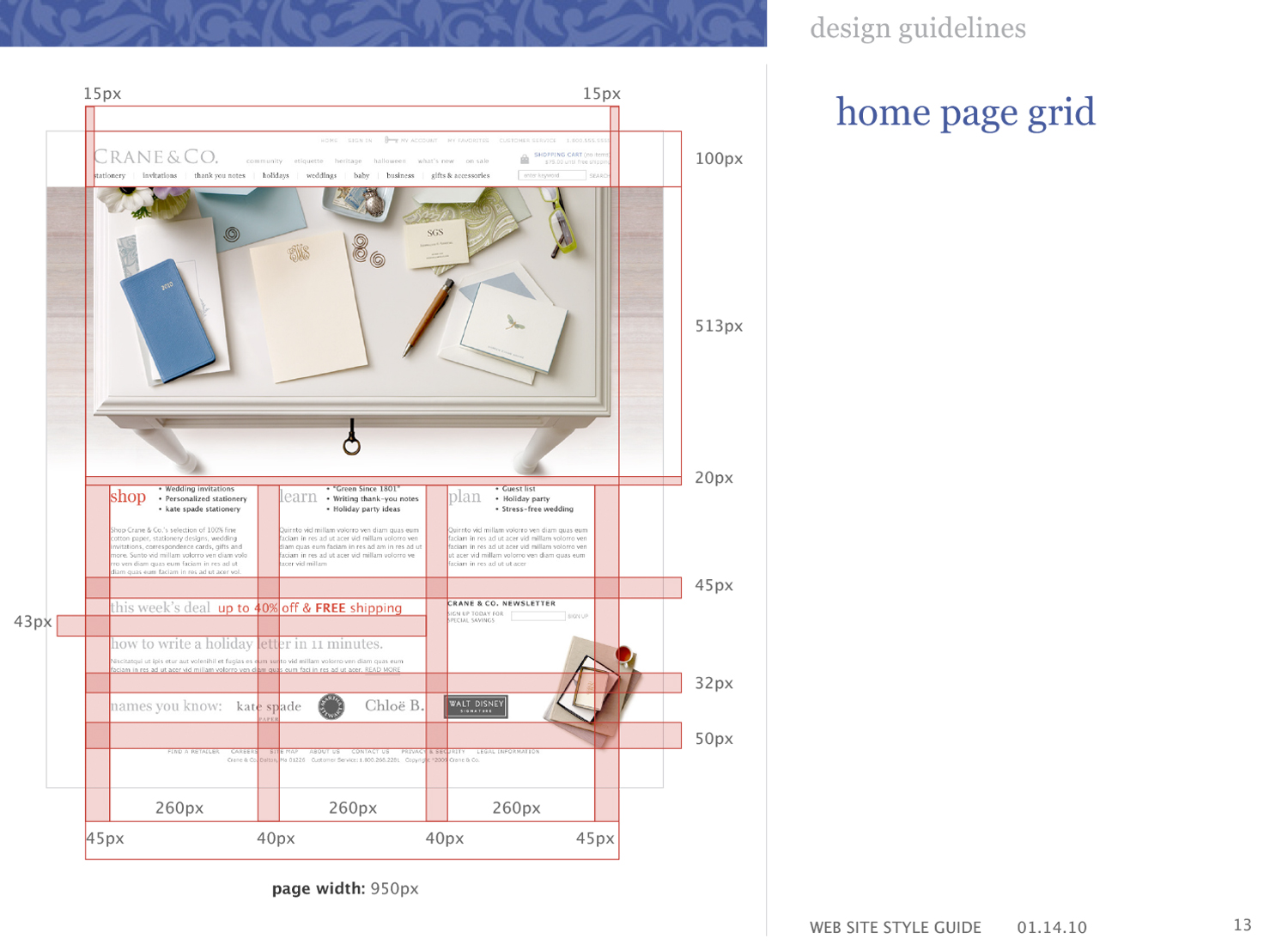
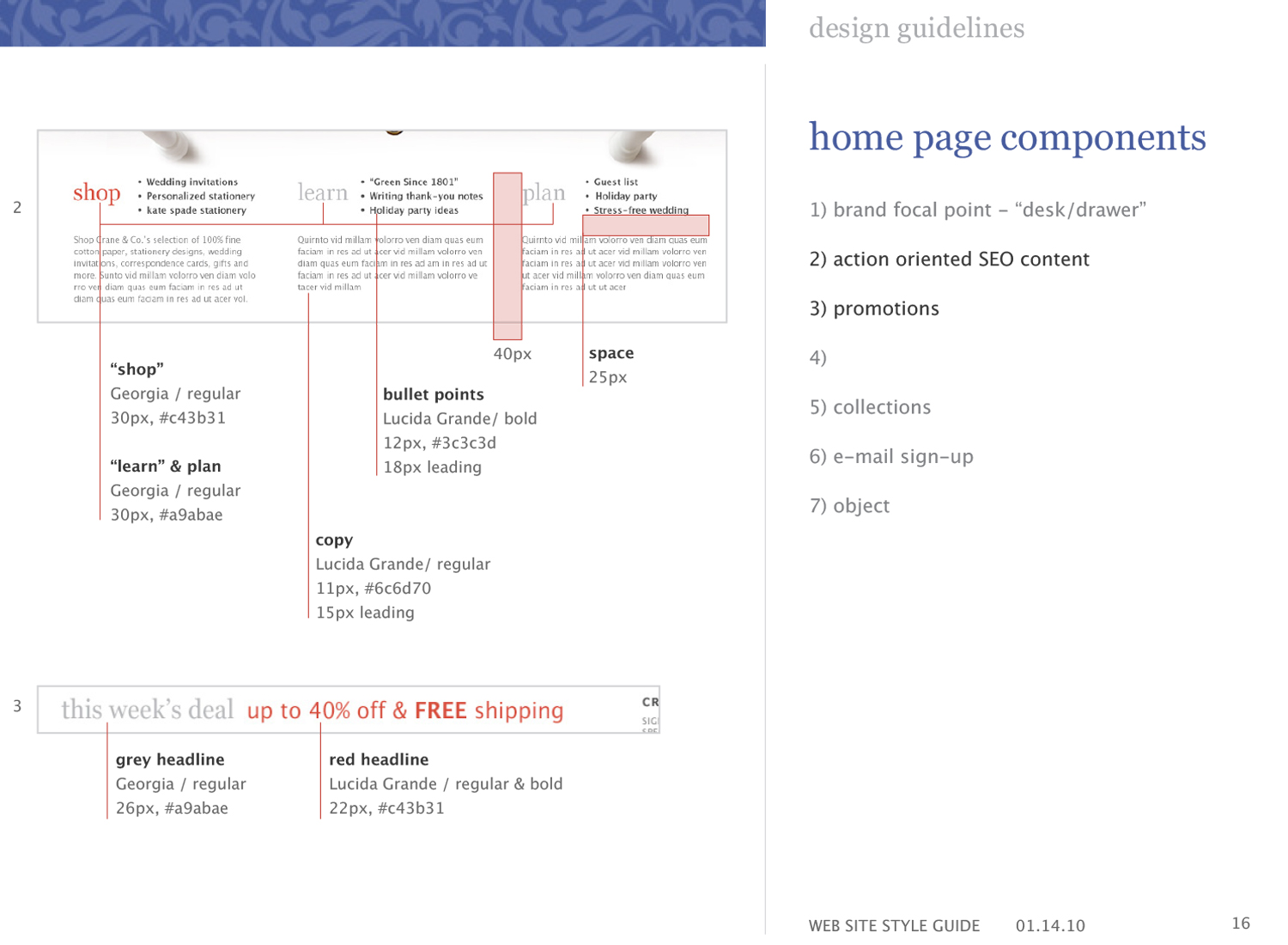
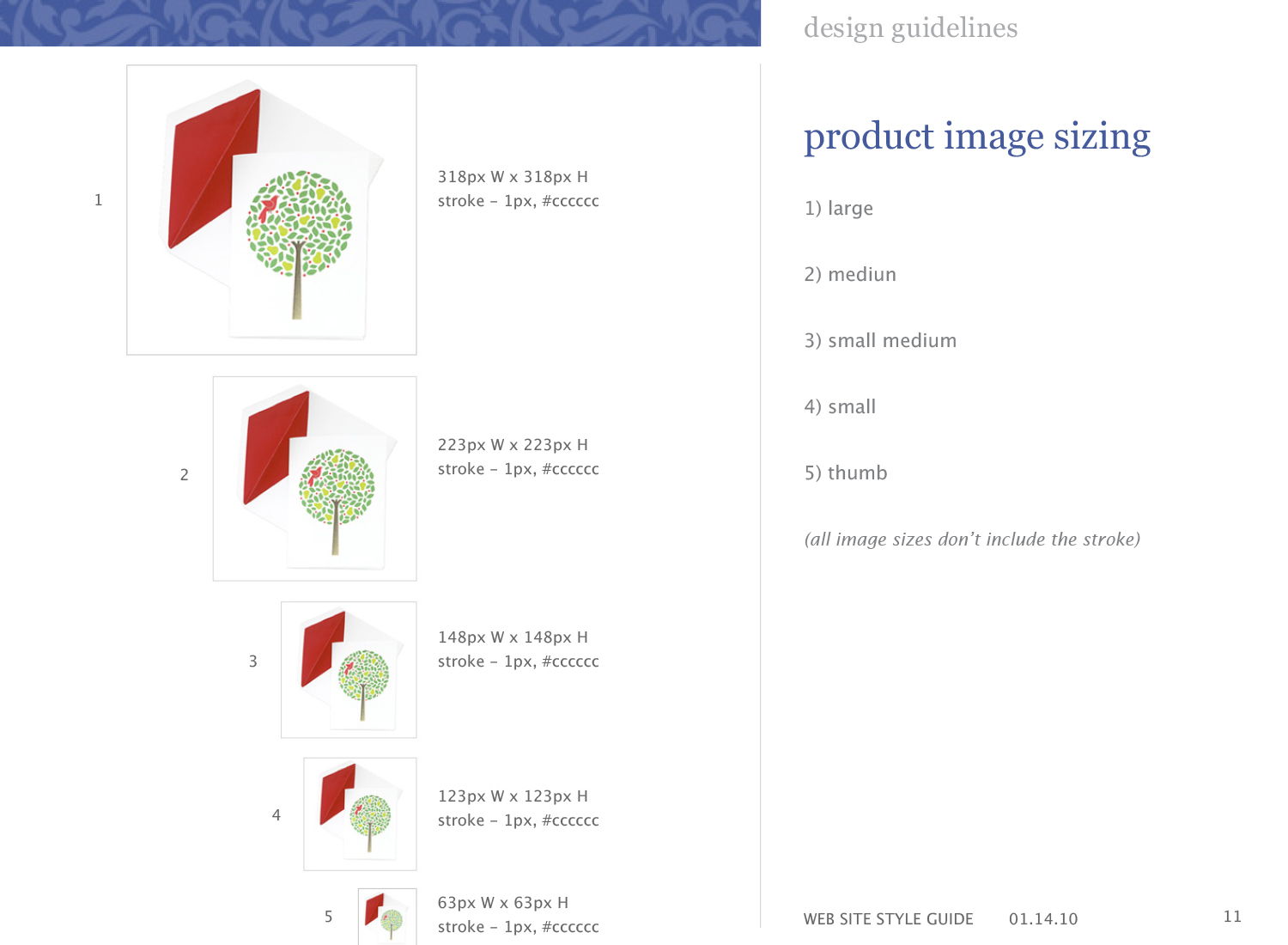
As the last deliverable for the project, the UI designer would often create a “HTML Style Guide” document to give developers a quick glance of key elements/styles of the site. Such as color palette, CTA styles, fonts, as well as page layout.
Crane.com style guide sample pages: