
Responsive Design
The world of web design has changed quite a bit over the years and continues to evolve as mobile-friendly design becomes more of the rule rather than the exception. But sometimes, buzzwords get the best of us and all that’s left is confusion. So what exactly is the difference between fixed, fluid, adaptive and responsive design?
Defining The Different Types of Design Types
Fixed design
Much like it says on the tin, fixed design doesn’t change depending on the device which is viewed on. If it’s designed with desktop in mind, opening it on mobile means images and text might get cut, and a combination of horizontal and vertical scrolling might be needed to see the whole content. On the other hand, if it’s designed with mobile in mind, opening it on desktop will show a skinny email with super-sized text and buttons. Needless is to say that neither of them are a great experience.
Fluid design
This allows the designer to retain some control over the content, while offering a slightly better user experience. In fluid design, widths are set as percentages of the screen and relative to each other. In this way, an image will always be 30% of the screen size, regardless if that screen is a desktop or an iPhone screen.
The problem is that simply shrinking or enlarging content might not always be the best strategy. It can become too small to be view-able, or look out of proportion.
Adaptive design
websites are built with media queries that target specific device sizes (e.g. iPhone, iPad, Android, etc). One of the problems with an adaptive layout, is that as new devices get introduced your code will need to be updated. Which isn’t ideal.
Responsive design
websites are built with media queries that target more general break points that scale images, wrap text and adjust layout accordingly. This is my preferred strategy when building websites.
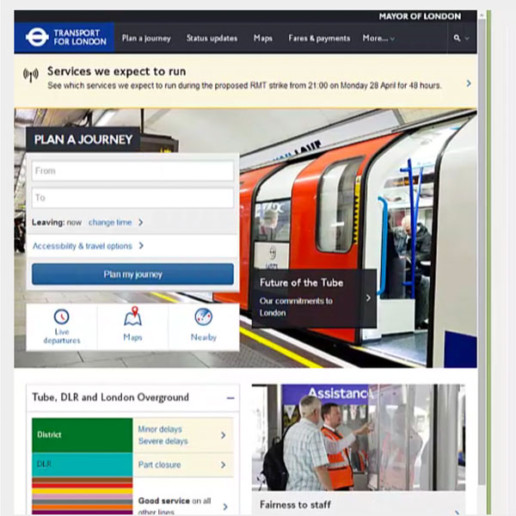
What’s the Difference between Responsive and Adaptive Design?
Responsive is fluid and adapts to the size of the screen no matter what the target device. Responsive uses CSS media queries to change styles based on the target device such as display type, width, height etc., and only one of these is necessary for the site to adapt to different screens.
Adaptive design, on the other hand, uses static layouts based on breakpoints which don’t respond once they’re initially loaded. Adaptive works to detect the screen size and load the appropriate layout for it – generally you would design an adaptive site for six common screen widths: 320, 480, 760, 960, 1200,1600.
On the surface, it appears that adaptive requires more work as you have to design layouts for a minimum of six widths. However, responsive can be more complex as improper use of media queries (or indeed not using them at all) can make for display and performance issues.
How Do Responsive and Adaptive Compare?

Responsive is harder to make
Responsive design is the more difficult choice to pull off since it requires extra attention to the site’s CSS and organization to make sure it functions well at any possible size. It’s easier to make a few specific layouts for your website instead of making one layout that can work in any screen size. While this means that each adaptive layout needs a bit of flexibility to work on several screen sizes, it is easier than making one layout that works for all of them.
Adaptive is less flexible
So the one drawback of adaptive design’s easier approach is that the final results don’t always display the best for a wide variety of screen sizes. While responsive site designs are guaranteed to work well on any screen size, adaptive designs only work on as many screens as its layouts are able to. So if a new device with a new screen size is released, you may find out that none of your adaptive layouts fit with it well. And that means you will have to edit them or add a new one. Responsive sites are flexible enough to keep working on their own, but adaptive sites will likely need some occasional maintenance.
Responsive sites load faster
Load time is a consideration. An adaptive website needs to load ALL possible layouts while responsive websites only need to load the one that works across all platforms. Adaptive sites have a lot of loading to do – all those extra layouts takes extra time and resources, so know that they will be a bit slower than their responsive counterparts. This won’t always be the case, however, such as when you have a responsive site with 100 pages compared to an adaptive site with 10 – for sheer size of the site, the adaptive one will likely be faster.
Should I Use Adaptive or Responsive Design?
Tallying up the score, responsive web design is almost always the safer option to go with for your site. It always functions well regardless of what new screen sizes come and go, improves loading times, and is usually well worth the extra effort in putting it together.
However, for some sites, adaptive may be a better option. These would likely be newer, smaller websites that are just starting out and need to preserve their resources. An adaptive site is easier to create, and the smaller size and audience would keep the slower load times or lower flexibility from being an issue.